

How To Start A Website
A COMPLETE BEGINNER’S GUIDE TO WORDPRESS
Starting Your Online Journey: A Beginner’s Guide to WordPress
If you’re a business owner, you’ve probably realized that having an Instagram or TikTok isn’t enough anymore. But where do you even start? How to start a website for your business?
At Rakshi Creations, we believe building a professional site shouldn’t feel like rocket science. This guide is your roadmap to getting online with a high-end look, without the high-end stress.
Building a website is one of the most rewarding investments you can make for your business. You can do it in these 4 simple steps:
Why Your Business Needs a Website
As a business owner, your website is your 24/7 digital storefront. Unlike social media platforms where algorithms change and you don’t “own” your followers, a website gives you:
- Complete Control: You own your content and how it’s presented.
- Credibility: A professional website instantly builds trust.
- Centralized Hub: One place for services, products, and support.
WordPress.org vs. WordPress.com
Before we start, it’s crucial to understand the two versions of WordPress:
- WordPress.com: A hosted service (like Wix). It’s easy but very limited. You don’t have full control, and many professional features require expensive upgrades.
- WordPress.org (Self-Hosted): This is the gold standard. You install the software on your own “rented” space (hosting).
The Advantage of a Self-Hosted Website
Choosing the self-hosted route is the best move for business owners because it offers:
- Total Freedom: Install any theme or plugin to grow your business.
- Full Monetization: Sell products (WooCommerce) or run ads without restrictions.
- Professional SEO: Better tools to help you show up on Google.
Step 1: Domain and Hosting
What is Hosting?
If the domain is your address, hosting is the actual “plot of land” where your website’s files (photos, text, and code) live. Without hosting, your domain is just a name with nowhere to go.
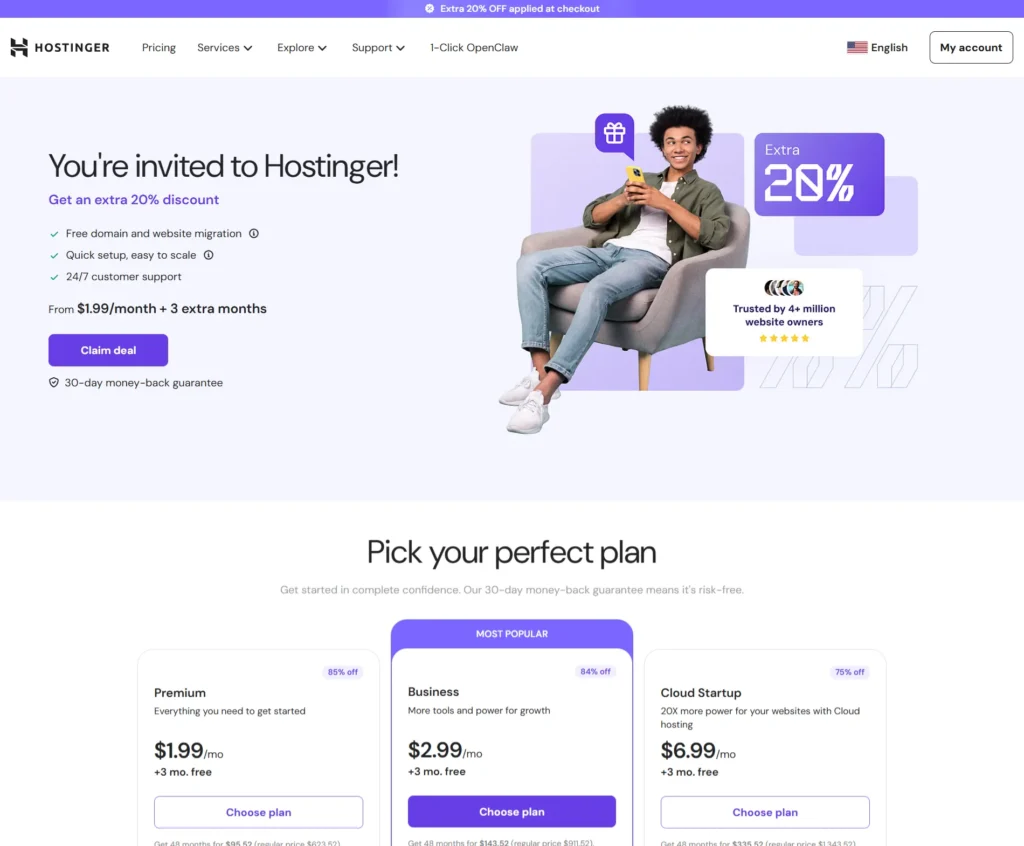
To get started, you need a reliable provider. We highly recommend Hostinger. They are super fast (which Google loves!), affordable, and their customer support is top-notch.
- Head over to Hostinger and pick a hosting plan. The “Premium” or “Business” plans are usually the best fit for small business owners.
- Once you’ve selected your plan, it’s time to choose your Domain Name. Here’s a secret: most Hostinger plans include a free domain name for the first year, so you don’t have to pay extra to get your address registered!
- Use our Hostinger referral link for a nice little discount on us when you check out!
Step 2: Set Up WordPress
What is WordPress?
Think of WordPress as the engine of your car. It’s the software that allows you to create and manage your content without needing to write code.
Hostinger makes this part effortless with their Auto-Installer.
- Log into your Hostinger hPanel.
- Navigate to Website > Auto Installer.
- Select WordPress.
- Fill in your Website Title, Admin Email, and a strong Password.
- Click Install. Your site is now live!
Step 3: The Glow Up-Choose a designer Quality Website template
Now for the glow-up. At Rakshi Creations, we specialize in Kadence Child Themes. Why Kadence? Because it’s the fastest, most flexible framework out there.
We’ve designed our templates to give you that high-end, custom agency look without the five-figure price tag. You get designer-level aesthetics that are ready to go in minutes.
The Benefit: Instead of spending weeks designing, you just upload our template, and your site looks like it was designed by a pro in minutes. We will also be guiding you on how to start a website so you will not be ever-whelmed by the tech side of doing it,
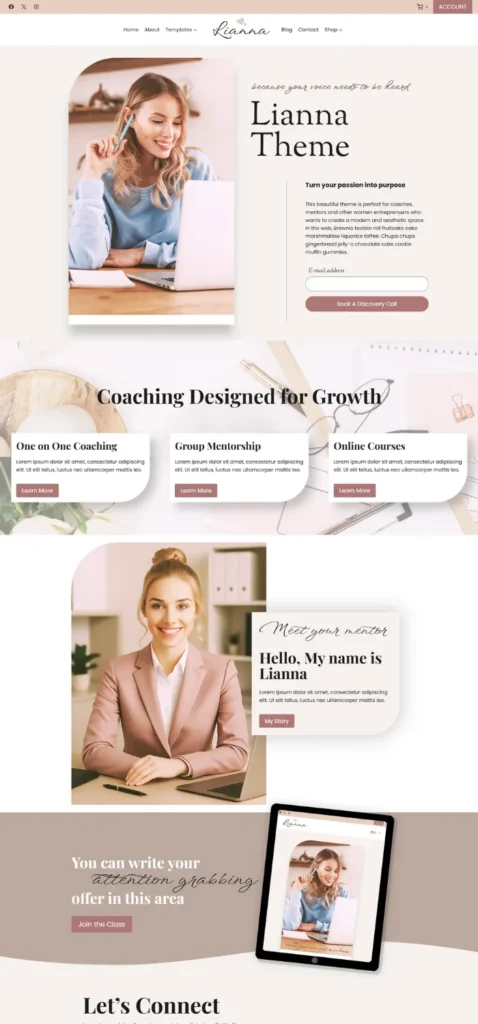
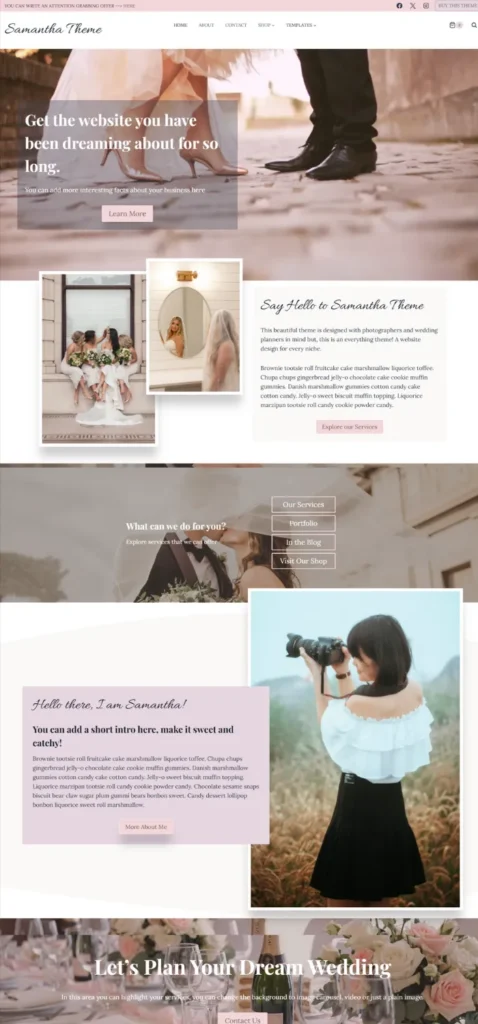
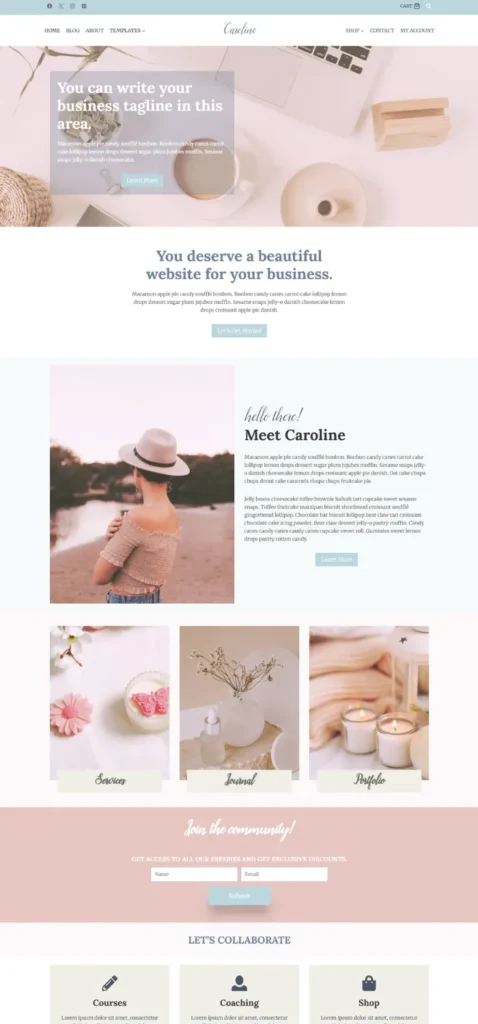
Once your template is installed, it’s time to make it yours:
- Swap the Content: Replace the demo text with your own story and services.
- Add Your Images: Upload your brand photos to give it your unique vibe.
- Check Mobile: Make sure it looks great on your phone (Kadence does most of this for you!).
Once you’ve purchased your dream WordPress theme, you’ll get an email with a download link. Just unzip the file and follow the detailed installation instructions we provide. We’ll hold your hand and walk you through every step, no tech experience required!
If you run into any problem, we’re always here to help. Themes comes with free installation!
Visit our Support Page for tutorials, troubleshooting tips, and theme documentation.
Step 4: Launch Your website
Hit publish and now your website is live!—now let’s make sure people see it! This step is all about marketing and growth.
- Promote on Social Media: Create a “Grand Opening” post for Instagram, TikTok, or Facebook. Use the link in your bio to drive traffic to your new home.
- Start Blogging: Creating helpful content or “behind the scenes” blogs is the best way to show your expertise and help your site show up on Google.
- Add a Shop: If you have products to sell, this is the time to install WooCommerce. Our templates are fully compatible, allowing you to turn your site into a fully functional storefront.
- Consistency is Key: Keep updating your content and sharing your site. Your website is a living part of your business!
